"Setup"
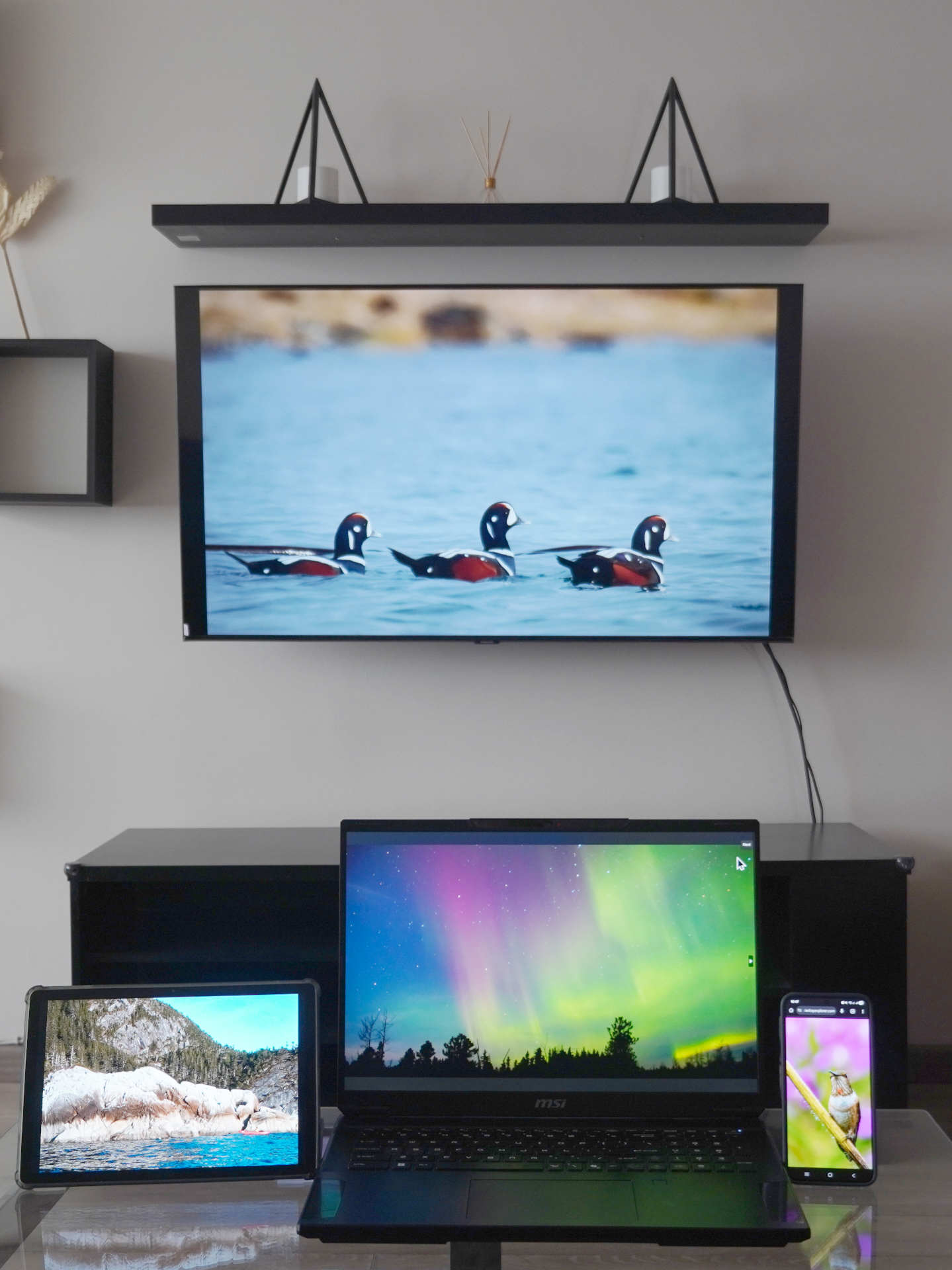
There is no program to run, nothing to install. The download or drive contain the photos and captions as simple image files and html files. Just plug it in and "Start_Here"! Or copy the files to your device. Or just view the photos from the USB.
For detailed, device specific help see these links:
Blue vs Red Flash Drives
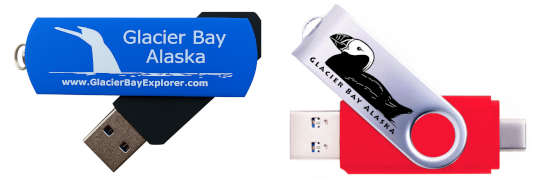
The photos and file contents of the drives are the same, identical. The blue drives have a single USB-A connector. The red drives have both a USB-A and a USB-C connector. The USB-C connector will connect directly to most phones and tablets. Many modern computers have both a USB-A and USB-C recepticals. Either can be used to connect to a computer. Smart TV's generally have a USB-A connector.
The Files and Folders
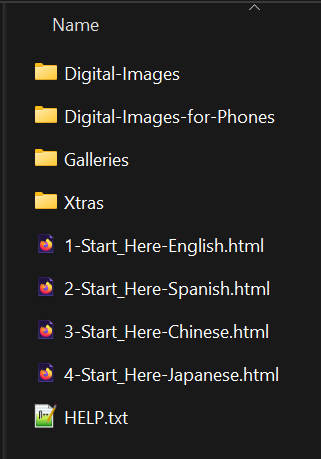
The screen capture to the right/below shows the file contents of the drives as seen in Windows Explorer. Folders \Digital-Images and \Digital-Images-for-Phone contain the high res photos. To see the photo galleries and captions click on one of the "Start_Here" files.
Folder \Digital-Images contains photos typically in a 3:2 format as well as the panorama photos. Folder \Digital-Images-for-Phone contain photos in a phone format of 9:16 oriented vertically.
Folder \Galleries contain the html pages and thumbnails that are used to display the captions. Do not setup slide shows using any jpgs in this folder, they are very low resolution versions of the photos in Digital-Images and they would look terrible on any screen.
Folder \Xtras contains information about plants, animials, bear-human interactions and maps of the park. These files are public domain on the web and are presented here as extra information you might find useful.
File Help.txt contains basic information about the drive as well as an FAQ.
All the files on the drive are either .jpg, .png, text or .pdf. There are no scripts. The drive was designed with a simple, old-school web interface for hassle-free USB delivery.
Artwork
Another 'big' difference between the two drives is the artwork on the drive surface. The blue drives have a humpback whale tail based on photo 009_Bill_Eichenlaub.jpg and a spyhopping orca based on photo 014_Tom_Bergman.jpg. The red drive has a puffin based on photo 532-Sean-Neilson.jpg and a black bear based on 054_Sean_Neilson.jpg.