Tablet Support
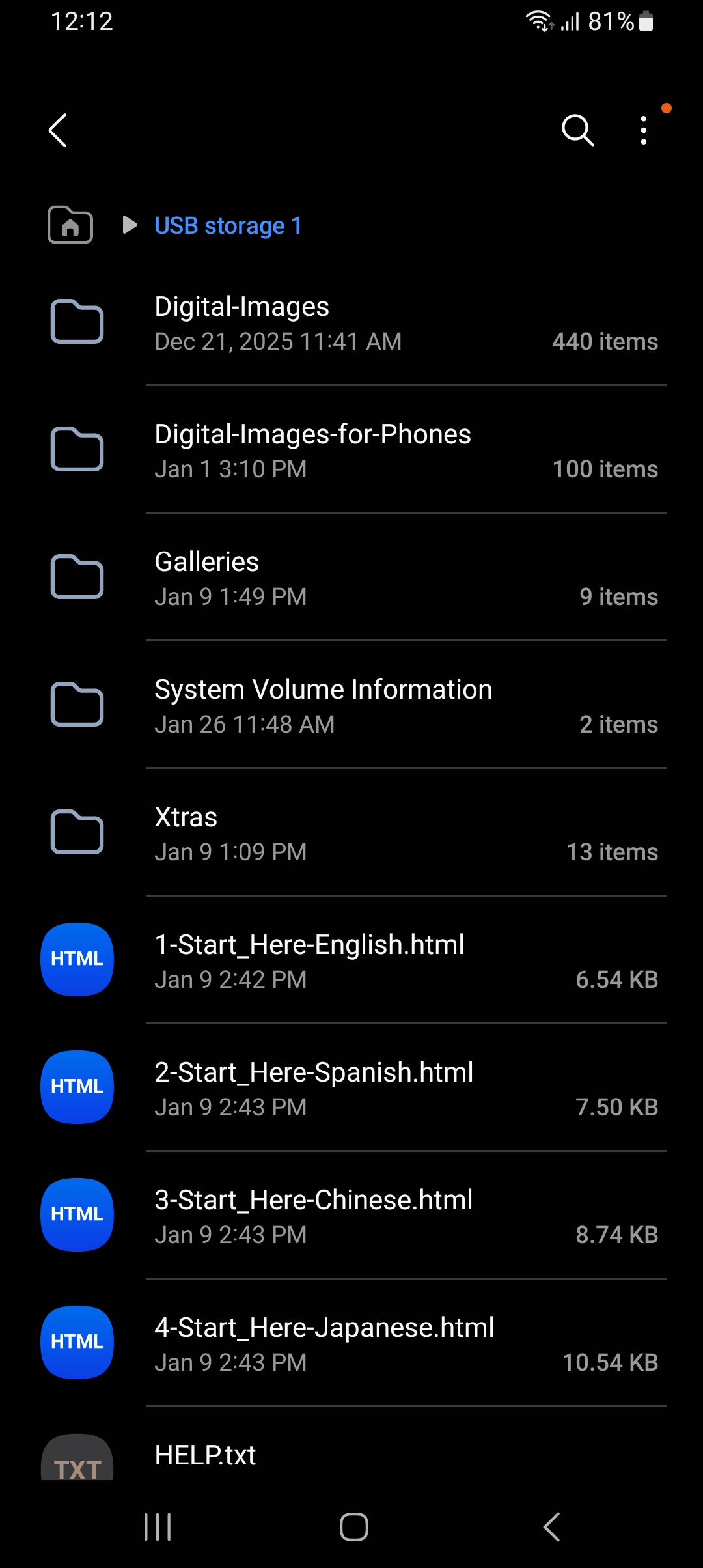
The USB-C connector can be connected to a modern tablet provided the tablet has a USB-C charging port. You will probably need to remove the tablet case.

Because tablets brands are so different it is best to use brand specific directions for using a USB. If you click on this link it will open a Google AI search in your browser: View USB photos as a slideshow on a tablet by xxxx. In the Google search change the xxxx to your make and model of your tablet.
Android tablets, and possibly some phones, can be a little trickly as some may be setup to automatically use connected USB devices as a backup device. Do not use these flash drive for critical backups! They are small (8 MB) and not built for rugged use.
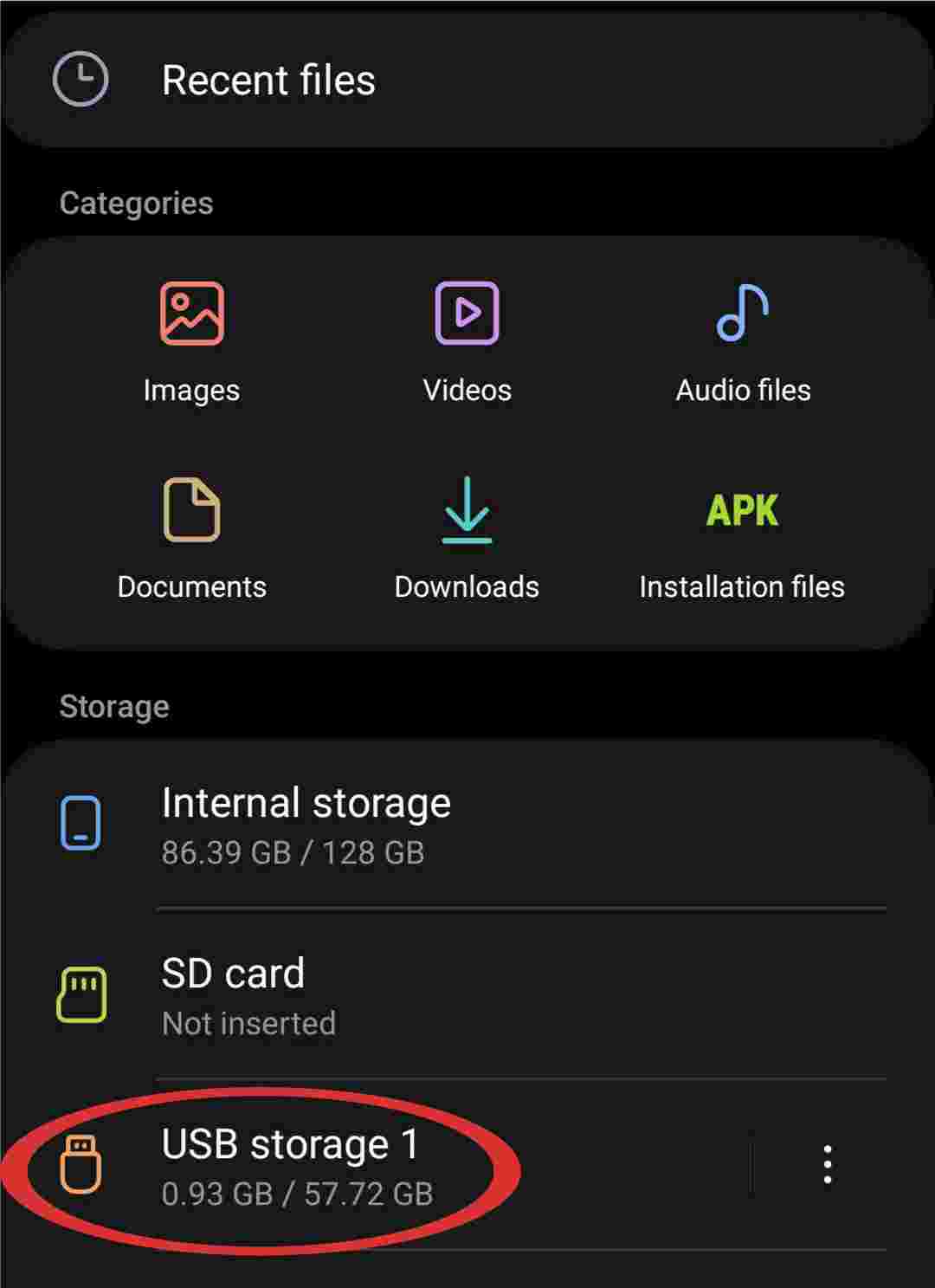
Some android tablets may automatically copy images from an attached flash drive. Once the drive is attached use your Files app to view the contents of the drive _and_ the image contents of your tablet. If your operating system automaticlly copied the drive's images you don't need to do this again.
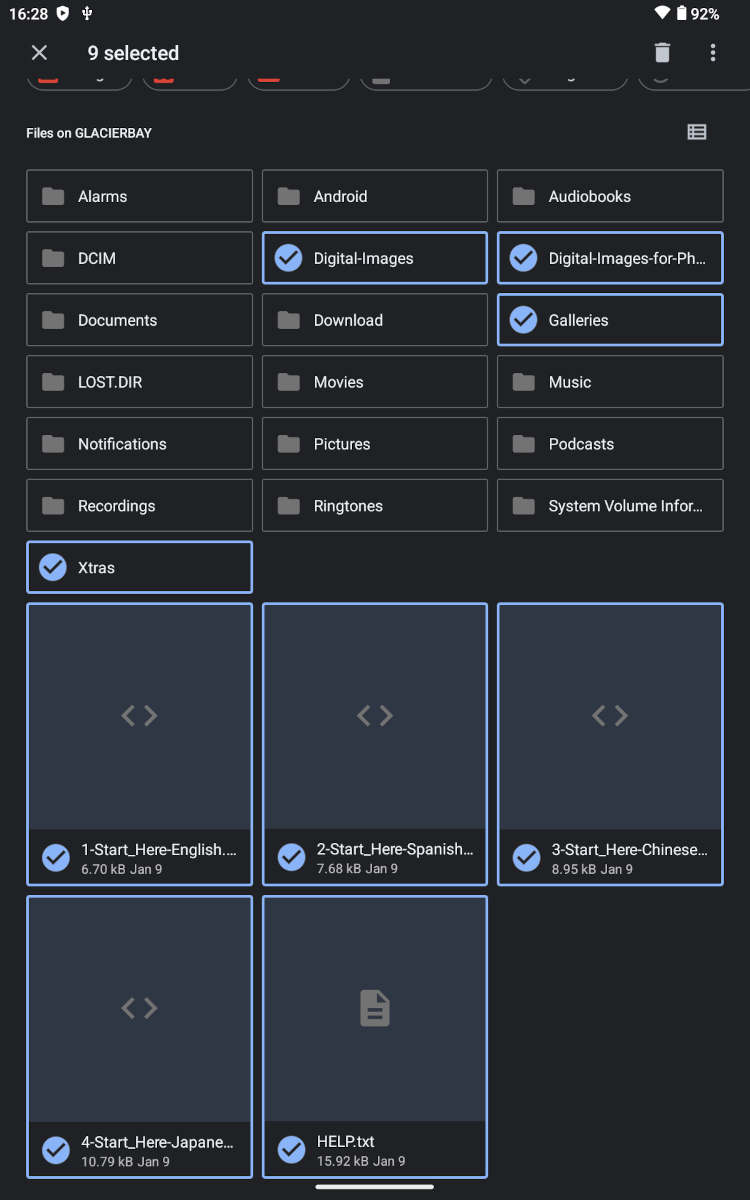
Some android tablets may automatically duplicate the folder structure of the tablet onto the drive. In the photo below the 4 folders included on the flash drive are highlighted in blue.
We recommend you install a file management app such as "File Manager Plus" to best to view the captions from the drive itself. You can also simply view the caption on the web and only copy the actual images to your phone. All this is described below."
Connected! What next?
Option A - Copy the full drive to your device, but be careful! Your tablet operating system may have added folders automatically. Only copy the folders highlighted in the image above/to the right and put them in a new folder on your device. You should then be able to open the Start_Here files and view the captions on your device via an app such as "File Manager Plus" .
Option B - Copy just the high resolution images. Copy only folders \Digital-Images and \Digital-Images-for-Phone. You will not be able to view the drives captions pages but the photos have the captions embedded in the metadata. You might be able to view the captions via an app.
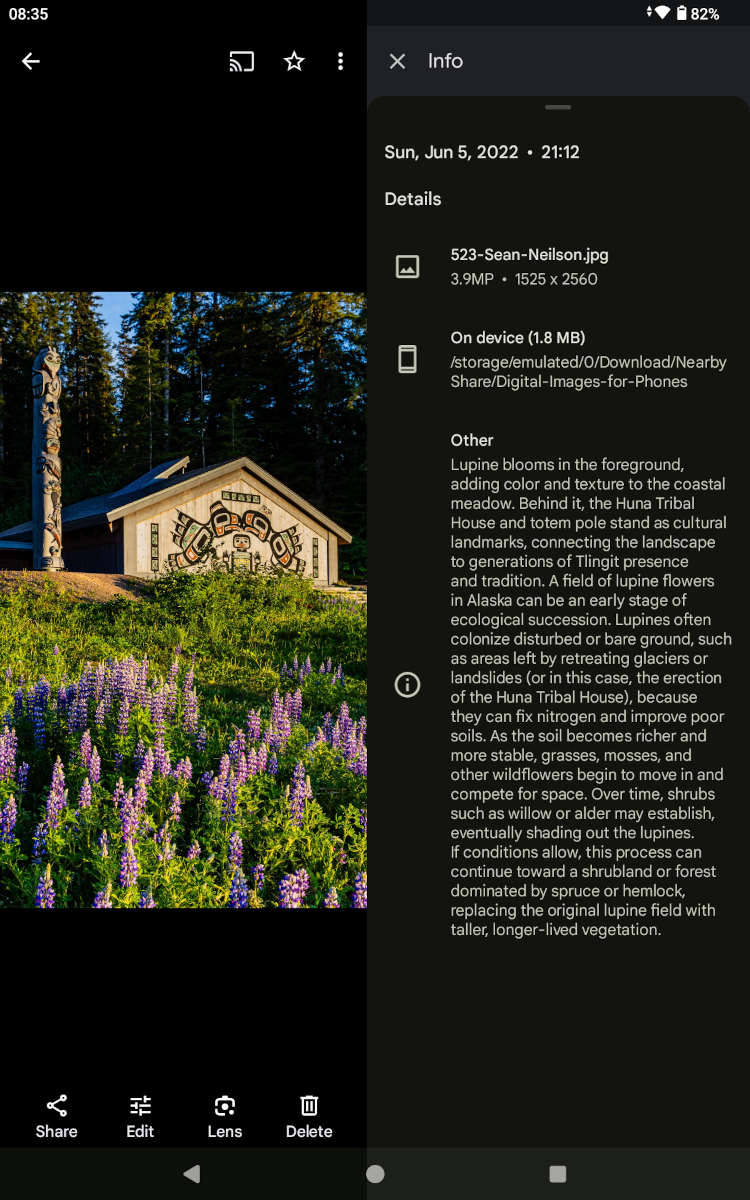
Option C - Copy only the images you want. Select the photos you want from folders \Digital-Images and \Digital-Images-for-Phone and copy them to your device, probably to the \Pictures folder.
Option D - Don't copy anything, just view the captions and photos from the flash drive. While this works it is perhaps inconvenient to have the drive connected while you use it. But it is a good way to initially view the photos and drive folders while you decide how you will use the drive long-term.
The photos are much more interesting if you view them with the captions written by the photographer. In the root of the drive there is a file called '1-Start_Here-English.html'. If you double click on this file it should open in your internet browser. It contains links to the Galleries that display the captions.
Web Access to View the Captions
A great option for veiwing the captons is to visit our Web Access link. One advantage of Web Access is the ablity to swipe left and right to scroll through the captions and galleries.
You may want a 'hybrid' use of your drive... copy the folders with the images to your device, but use the website to browse the captions.